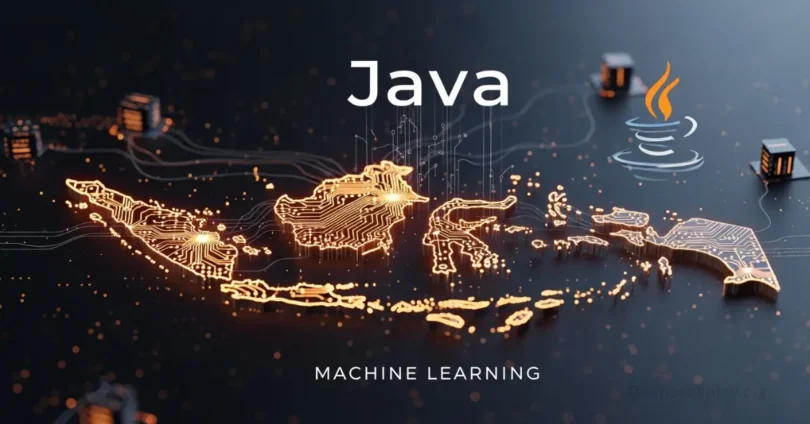
Java Machine Learning is changing the way computers learn and make decisions. With Java, beginners and experts can create smart programs that analyze data, predict outcomes, and solve real-world problems. Its strong libraries, easy-to-use tools, and wide community support make Java a popular choice for building machine learning applications.
Why Java for Machine Learning
Java is one of the best choices for machine learning because it is fast, reliable, and widely used. Many developers prefer Java due to its strong libraries like Weka, Deeplearning4j, and Smile, which make building ML models easier.
Some key reasons to use Java for machine learning:
- Platform Independence: Java programs can run on any system without changes.
- Performance: Java is faster for large datasets and complex calculations.
- Community Support: A large number of developers share tools, tutorials, and code.
- Integration: Java works well with web apps, mobile apps, and big data tools.
- Scalability: Java projects can grow from small experiments to large ML applications.
Because of these benefits, learning Java Machine Learning allows beginners and professionals to create smart applications efficiently and confidently.
Core Concepts of Machine Learning in Java
Machine learning uses data to help computers make smart decisions. Here are the main ideas you should know when using Java for ML:
- Supervised Learning: The model learns from labeled data to make predictions. Example: Predicting house prices.
- Unsupervised Learning: The model finds patterns in data without labels. Example: Customer segmentation.
- Reinforcement Learning: The model learns by trial and error to make the best decisions. Example: Game AI.
- Features and Labels: Features are inputs, labels are the outputs the model should predict.
- Datasets: Collections of data used to train and test models.
- Model Training: Process where the computer learns patterns from the dataset.
- Model Evaluation: Checking how well the model predicts or classifies data.
- Overfitting & Underfitting: Overfitting is when the model memorizes data; underfitting is when it fails to learn patterns.
- Algorithms: Step-by-step methods like Decision Trees, Linear Regression, or K-Means for solving problems.
- Java Libraries: Tools like Weka, Smile, and Deeplearning4j help implement these concepts easily.
Understanding these core concepts makes it easier to build accurate and efficient Java Machine Learning models.
Popular Java Libraries for Machine Learning
Java has many powerful libraries that make Machine Learning easier, faster, and more efficient. These libraries save time by providing pre-built tools, algorithms, and utilities for building ML models. Here are some of the most popular Java libraries used in Machine Learning:
1. Weka
- Weka is one of the most beginner-friendly ML libraries in Java.
- It provides tools for data preprocessing, classification, regression, clustering, and visualization.
- Example: You can use Weka to create a simple spam email classifier with just a few lines of code.
2. Deeplearning4j (DL4J)
- Deeplearning4j is a Java library for building deep learning models.
- It supports neural networks, convolutional networks, and recurrent networks.
- DL4J works well with large datasets and integrates easily with big data tools like Apache Spark.
3. MOA (Massive Online Analysis)
- MOA is used for real-time data stream learning.
- It is perfect for projects where data keeps changing, like stock prices or online user behavior.
- MOA can handle large streams of data efficiently without slowing down.
4. Smile (Statistical Machine Intelligence & Learning Engine)
- Smile is an advanced Java library that provides a wide range of ML algorithms.
- It supports regression, classification, clustering, NLP, and more.
- Smile is suitable for both beginners and experts who want flexibility and speed.
5. Encog
- Encog is a versatile ML library for neural networks, support vector machines, and genetic programming.
- It is lightweight and works on desktop, server, or mobile applications.
- Example: Encog can be used for handwriting recognition or predicting sales trends.
Using these Java libraries makes building and testing Machine Learning models much easier. Beginners can start with Weka, while experts can use DL4J, Smile, or MOA for more advanced projects.
Setting Up Java Environment for ML
Before starting Java Machine Learning, it is important to set up a proper environment on your computer. A correct setup ensures your ML projects run smoothly without errors. Here is a step-by-step guide:
1. Install Java Development Kit (JDK)
- Download the latest version of JDK from the official Oracle website or OpenJDK.
- Install it by following the instructions for your operating system (Windows, macOS, Linux).
- Verify installation by opening the terminal or command prompt and typing:
- java -version
- You should see the installed Java version.
2. Choose an IDE (Integrated Development Environment)
An IDE makes coding easier and faster. Popular choices:
- Eclipse: Simple and widely used.
- IntelliJ IDEA: Great for advanced features and project management.
- NetBeans: Easy for beginners, supports Java ML libraries.
Install the IDE and configure it with the installed JDK.
3. Add ML Libraries
- Download and add Java ML libraries like Weka, Deeplearning4j, Smile, or Encog to your project.
- In Eclipse or IntelliJ, you can add these libraries as external JAR files.
- For Maven projects, add the required dependencies in the pom.xml file.
4. Create a Sample Project
- Open your IDE and create a new Java project.
- Add a package for your ML code (e.g., com.mlproject).
- Import the library classes you need. For example, in Weka:
- import weka.classifiers.trees.J48;
import weka.core.Instances;
import weka.core.converters.ConverterUtils.DataSource;
- import weka.classifiers.trees.J48;
5. Test Your Environment
- Write a small program to load a sample dataset and train a simple model.
- Run the project to ensure everything is working without errors.
- Example: Training a small decision tree using Weka.
6. Optional: Set Up Big Data Tools
- If you plan to work with large datasets, integrate Apache Spark or Hadoop with Java.
- Many Java ML libraries support Spark integration for faster processing.
A proper Java environment setup is the first step to successfully building Machine Learning models. Once set up, you are ready to start coding and experimenting with real ML projects.
Preparing Data for Java Machine Learning
Data is the most important part of Java Machine Learning. A model can only learn correctly if the data is clean and well-prepared. Here is a step-by-step guide to prepare data:
Collecting Data
- Gather data from reliable sources, such as CSV files, databases, or online datasets.
- Example: Collecting student grades, sales records, or customer information.
- Ensure the data matches the problem you want to solve.
Cleaning Data
- Remove duplicate entries and irrelevant information.
- Handle missing values: fill them with average, median, or default values.
- Correct inconsistent data formats (e.g., date formats or number formats).
- Example: Changing “yes/no” text to 1/0 for ML models.
Data Transformation
- Convert text data to numerical values if needed (e.g., categorical data encoding).
- Normalize data so that values are in the same range, usually 0 to 1.
- Example: Scaling height and weight data to avoid bias in the model.
Splitting Data
- Divide your dataset into training and testing sets.
- Common split: 70% for training and 30% for testing.
- Training set is used to teach the model, and testing set checks how well it learned.
Feature Selection
- Choose the most important features that impact your predictions.
- Remove unnecessary features to improve accuracy and speed.
- Example: For predicting house prices, use size, location, and number of rooms; ignore features like color of doors.
Save and Load Data
- Save cleaned and prepared datasets in CSV or ARFF formats (Weka compatible).
- In Java, use libraries like Weka or Smile to load the data easily:
- DataSource source = new DataSource(“dataset.arff”);
Instances data = source.getDataSet();
- DataSource source = new DataSource(“dataset.arff”);
Well-prepared data ensures your Java Machine Learning models are accurate and reliable. Clean, normalized, and properly split data is the key to building successful ML applications.
Future of Java in Machine Learning
- Growing Popularity: Java will continue to be widely used for ML and AI projects.
- Better Libraries: More advanced libraries and frameworks will be developed.
- Big Data Integration: Java will strengthen its role in handling large datasets.
- Cloud Compatibility: Java ML applications will run seamlessly on cloud platforms.
- AI in Enterprises: Java will be preferred for enterprise AI solutions due to scalability.
- Education & Learning: Java ML will be widely taught in schools and universities.
- Faster Development: Improved tools and IDEs will speed up ML project development.
- Cross-Platform Applications: Java ML apps will run easily on desktops, mobiles, and servers.
- Open Source Growth: More open-source Java ML tools will be available to developers.
- Innovation Opportunities: Java will support innovative AI applications in various industries.
Common FAQs about Java Machine Learning
Some faqs of Java Machine Learning.
What is the difference between Java ML and Python ML?
Java ML focuses on stability, scalability, and integration with enterprise apps, while Python ML is often faster for prototyping and has more libraries for experimentation.
Can I use Java ML for small projects?
Yes, Java ML is suitable for both small and large projects. Beginners can start with Weka or Smile for simple experiments.
Is Java ML suitable for deep learning?
Absolutely. Libraries like Deeplearning4j allow you to build neural networks and deep learning models efficiently in Java.
Do I need advanced math knowledge for Java ML?
Basic math knowledge is enough for beginners. Advanced models may require linear algebra and statistics, but libraries handle most calculations.
Can Java ML handle big data?
Yes, Java integrates well with Apache Spark and other big data tools, making it suitable for processing large datasets in real time.
Is Java ML good for real-time applications?
Yes, libraries like MOA support real-time streaming data, useful for stock prediction, IoT devices, or monitoring systems.
Which Java IDE is best for ML projects?
IntelliJ IDEA is preferred for large projects, while Eclipse is simple for beginners. Both work well with ML libraries.
Conclusion
Java Machine Learning is a powerful and reliable way to build smart applications. From simple data predictions to complex neural networks, Java provides the tools, libraries, and support needed for beginners and experts alike. By understanding core concepts, preparing clean data, and using libraries like Weka, Deeplearning4j, and Smile, anyone can create accurate and practical machine learning models. With its stability, scalability, and growing community, Java will continue to be a key language for real-world AI and ML applications.