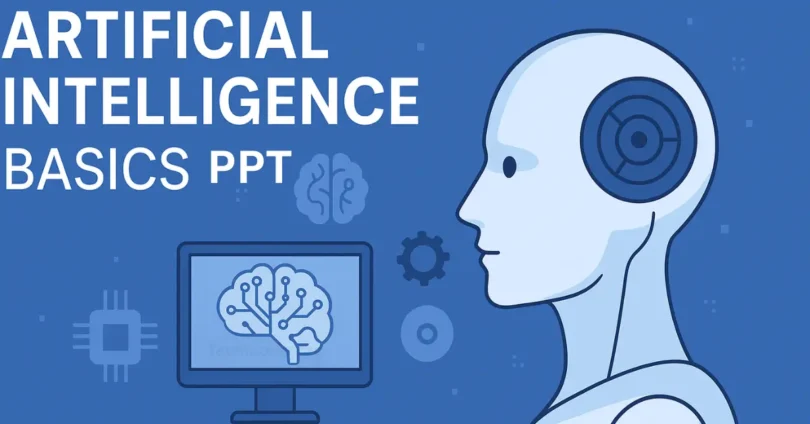
Artificial Intelligence (AI) has become one of the most exciting and useful technologies in the world today. From smart assistants like Siri and Alexa to self-driving cars and online recommendations, AI is everywhere. Understanding AI can seem difficult at first, but with the right guidance, anyone can learn its basics. This Artificial Intelligence Basics PPT is designed to make learning AI simple and clear. It explains key concepts, types of AI, real-life applications, and tools in easy English, so beginners can create their own AI presentations confidently.
History of Artificial Intelligence
Artificial Intelligence (AI) started many years ago. In the 1950s, scientists first thought about making machines that can think like humans. Early AI programs could solve simple problems and play games like chess.
During the 1980s, AI research improved with better computers and more data. Scientists created expert systems that could make decisions in medicine and engineering.
In the 2000s, AI became more powerful with machine learning and big data. Today, AI is everywhere, from voice assistants to self-driving cars.
Key Concepts of AI
Artificial Intelligence works through a few important ideas that help machines think and learn like humans.
- Machine Learning (ML): Computers learn from data to make predictions or decisions.
- Neural Networks: Systems that mimic the human brain to solve complex problems.
- Natural Language Processing (NLP): Helps machines understand and use human language.
- Computer Vision: Enables computers to see and interpret images or videos.
- Robotics: Combines AI with machines to perform tasks automatically.
- Deep Learning: Advanced ML using large neural networks for better accuracy.
These key concepts form the foundation of AI and help machines perform smart tasks in real life.
Types of Artificial Intelligence
AI can be divided into different types based on capabilities and functions:
- Narrow AI (Weak AI): Designed for specific tasks like voice assistants.
- General AI (Strong AI): Can perform any intellectual task like a human.
- Superintelligent AI: Hypothetical AI that surpasses human intelligence.
- Reactive Machines: AI that responds to specific inputs without memory.
- Limited Memory AI: Can use past data to make better decisions.
- Self-Aware AI: Advanced AI with consciousness and self-understanding (future concept).
Understanding these types helps learners know how AI works and its potential impact on daily life.
AI Applications in Real Life
Artificial Intelligence is used in many areas of daily life to make tasks easier and smarter.
- Healthcare: AI helps doctors diagnose diseases and suggest treatments.
- Education: AI provides personalized learning for students.
- Transportation: Self-driving cars use AI to navigate safely.
- Finance: AI detects fraud and predicts stock market trends.
- Smart Assistants: Siri, Alexa, and Google Assistant help with tasks.
- E-commerce: AI recommends products based on user behavior.
- Social Media: AI filters content and suggests posts to users.
- Customer Support: Chatbots answer questions instantly.
- Entertainment: AI powers movie recommendations and music playlists.
- Robotics: AI-driven robots assist in factories and homes.
AI applications are everywhere, making life easier, faster, and more efficient.
Tools and Software for AI
AI projects aur experiments ke liye kuch important tools aur software beginners ke liye helpful hote hain. Ye tools learning aur implementation ko easy banate hain.
- TensorFlow: Open-source platform for machine learning and neural networks.
- PyTorch: Flexible deep learning framework for AI research and applications.
- Scikit-learn: Simple library for machine learning in Python.
- Keras: Easy-to-use library for building neural networks quickly.
- IBM Watson: AI platform for business and data analysis solutions.
- Microsoft Azure AI: Cloud-based AI services and tools for developers.
- Google Cloud AI: AI and ML tools for building smart applications.
- H2O.ai: Open-source software for predictive analytics and AI models.
These tools and software make it easier to create, test, and implement AI solutions for beginners and professionals alike.
How to Create an AI PPT
Creating an AI PPT is easy if you follow simple steps to organize content and visuals effectively.
- Choose a Topic: Decide the main focus of your AI presentation.
- Research Content: Collect accurate and simple information about AI.
- Plan Slide Layout: Organize slides with headings, subheadings, and bullet points.
- Add Visuals: Include images, charts, and diagrams to explain AI concepts.
- Keep Text Simple: Use short sentences and easy words for better understanding.
- Use Examples: Add real-life AI applications to make slides relatable.
- Design Consistently: Use uniform colors, fonts, and style for a neat look.
- Review Slides: Check for mistakes and ensure clarity before presenting.
Following these steps makes your AI PPT clear, engaging, and easy for everyone to understand.
Tips for Making AI Easy to Understand
AI can be complex, but using simple methods makes it easy for beginners and students to grasp the concepts quickly.
- Use Simple Language: Avoid technical jargon and use words everyone can understand.
- Add Visuals: Diagrams, images, and charts make concepts easier to remember.
- Give Real-Life Examples: Show how AI affects daily life, like chatbots or smart devices.
- Break Content into Small Parts: Present information step by step instead of all at once.
- Use Analogies: Compare AI processes to human actions for better understanding.
- Interactive Slides: Add questions or small activities to engage learners.
- Highlight Key Points: Bold important terms and ideas to make them stand out.
These tips make AI concepts simple, engaging, and easier for beginners to learn and remember.
Common FAQs About Artificial Intelligence Basics PPT
Here are some common questions about Artificial Intelligence Basics PPT to help beginners understand AI easily.
What is the purpose of an AI PPT?
It helps explain AI concepts in a visual and easy-to-understand way.
Which software is best to create an AI PPT?
PowerPoint, Google Slides, or Canva are user-friendly options.
How many slides should an AI PPT have?
Around 10–15 slides are ideal for a clear and concise presentation.
Can beginners create an AI PPT?
Yes, with simple language, visuals, and step-by-step content.
What type of visuals should be used?
Charts, diagrams, AI illustrations, and relevant images.
Should I include examples in my AI PPT?
Yes, real-life applications make concepts relatable and easier to learn.
How to make the AI PPT engaging?
Add questions, interactive slides, and simple animations.
Is it necessary to include AI history in the PPT?
Including a brief history gives context and makes learning complete.
Can AI PPT be used for online teaching?
Absolutely, it is ideal for webinars, virtual classes, and workshops.
How to keep the AI PPT simple and clear?
Use short sentences, clear fonts, consistent colors, and minimal text.
Conclusion
Artificial Intelligence Basics PPT makes learning AI simple and fun for everyone. By using easy language, visuals, and real-life examples, beginners can understand key concepts, types, and applications of AI. Following the step-by-step guide ensures a clear, engaging, and effective presentation.
Written By: Deepseekplay